Most brands get the hardware right and then struggle with content. You install a large screen, invest in a solid LED video wall & digital signage display, and then run content that was originally made for a laptop or a phone. It shows. And not in a good way.
We have observed this phenomenon across various retail stores, corporate offices, and even outdoor settings. The screen is sharp, brightness is strong, refresh rate is high, but the content feels off. The text appears small, the visuals seem stretched, and the messaging gets lost.
Content for LED is a different game. It has to be built for scale, for distance, and for attention. This guide breaks it down in a practical way so that your LED video wall & digital signage…; display actually performs the way it is supposed to.
Start with the Screen, Not the Design
Here’s where most people go wrong. They start with design ideas without understanding the screen.
An LED video wall display is defined by:
- Pixel pitch
- Resolution
- Viewing distance
- Brightness levels
- Refresh rate
At ALEDA, our indoor modules like IS 1.86 and IS 2.5 Full Color run at refresh rates of 3840 Hz with brightness above 600 cd per square metre. Outdoor systems go beyond 5500 cd per square metre.
What this means practically is simple. Content that looks fine on a laptop may not translate properly on a large digital signage display.
So the first step is always this. Understand the screen before you design anything.
Designing for Viewing Distance Changes Everything
People don’t stand one foot away from a video wall. They view it from a distance. Sometimes 2 metres, sometimes 10 metres or more.
That changes how content should be designed.
For an LED video wall & digital signage display, smaller elements simply do not work. Thin fonts, detailed graphics, and dense layouts lose clarity.
What works better:
- Large text
- Strong visual hierarchy
- Clear spacing
If the message is not readable in 2 seconds, it will not work. That is the reality.
We always suggest aligning content scale with pixel pitch. A 1.86 mm display can handle finer details, but even then, clarity beats complexity.
Resolution Is Not Optional, It Is Foundational
This is one of the biggest misses in real projects.
An LED video wall display does not always follow standard screen sizes. It is often customised based on space.
So if your screen resolution is not exactly 1920 by 1080 or 3840 by 2160, your content must match the actual pixel dimensions.
Stretching content leads to distortion. Compressing it affects clarity.
For a digital signage display, pixel mapping should be precise. Build content in the exact resolution of the screen. It saves time and avoids quality issues later.
Motion Content Needs Control, Not Just Creativity
LED displays are built for motion. But more motion does not mean better content.
With ALEDA systems running at 3840 Hz refresh rates, the display can handle smooth transitions easily. But the content still needs to be controlled.
What works:
- Smooth transitions
- Moderate animation speed
- Loop-friendly content
What does not work:
- Fast flashing elements
- Too many transitions
- Overloaded visuals
For a digital advertising screen, content should feel effortless to watch. If it feels rushed, people will ignore it.
Colour and Contrast Are Not What You Think
Colours behave differently on LED screens.
Brightness levels, especially in outdoor environments, can change how colours appear. A design that looks balanced on a monitor may look washed out or too harsh on a display.
For an LED video wall & digital signage display, contrast is more important than colour variety.
What works:
- High contrast combinations
- Clear foreground and background separation
- Avoiding light text on bright backgrounds
In outdoor conditions, strong contrast ensures visibility even under sunlight. That is critical for any digital advertising screen.
Keep the Message Short and Direct
Attention span is limited. Especially in high traffic areas.
A digital signage display should communicate quickly. Not explain everything.
We usually recommend:
- 8 to 12 seconds per content loop
- One clear message per screen
- Minimal text
If someone needs to read more than one line to understand the message, it is already too much.
For an LED video wall display, clarity always wins over detail.
Content Should Match the Environment
Not every screen is used the same way.
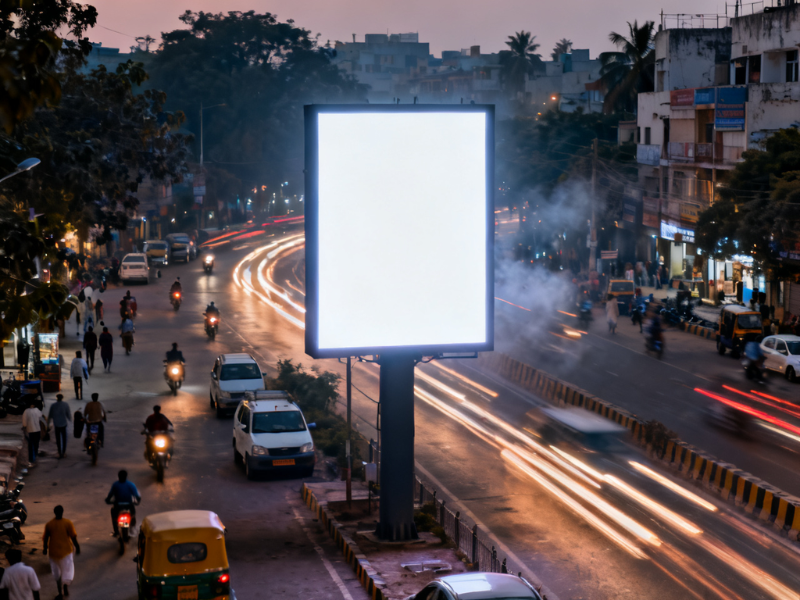
Retail spaces need dynamic, visually engaging content. Corporate environments need clean and structured communication. Outdoor installations need high visibility and minimal messaging.
An LED video wall & digital signage display should reflect where it is placed.
For example:
- Retail: product highlights, motion visuals
- Corporate: announcements, brand messaging
- Outdoor: bold visuals, large text
Using the same content everywhere does not work. Context matters.
Common Mistakes That Reduce Impact
Some issues come up again and again.
Overcrowded layouts are one of them. Trying to say too much in one frame reduces clarity.
Another is small text. It may look fine during design, but on a large screen, it becomes unreadable.
Incorrect resolution is another common problem. It leads to stretched or compressed visuals.
For an LED video wall & digital signage display, simplicity works better than complexity. Clear content performs better. Always.
Also Read :The Real ROI of Active LED Displays in India
Where a digital advertising screen Actually Delivers Value
A screen becomes effective when content and technology work together.
In digital advertising screen setups, content needs to capture attention quickly and deliver the message instantly.
That is where proper design makes a difference:
- Higher engagement
- Better recall
- Stronger brand presence
A well-designed LED video wall & digital signage display does not just look good. It performs.
Designing content for LED video walls is not about making things visually attractive. It is about making them effective.
An LED video wall & digital signage display works best when content is built around how the screen operates. Pixel pitch, resolution, brightness, and viewing distance all play a role.
Ignoring these leads to wasted potential. Getting them right creates real impact.
At ALEDA, we look at both the display and the content as part of the same system. Because one without the other does not deliver results. You can explore how different LED configurations behave in real environments on www.aledaled.com or call 1800-102-0407 to connect with our team.
FAQ Section
What is the ideal content format for an LED video wall?
The ideal content format for an LED video wall depends on the exact resolution and size of the display. Content should always be created in the native resolution of the screen to avoid distortion. High-quality visuals with proper scaling ensure clarity. It is also important to keep designs simple and avoid unnecessary details that may not be visible from a distance.
How does viewing distance affect content on a digital signage display?
Viewing distance directly impacts how content should be designed. For a digital signage display, content needs to be scaled based on how far the audience is from the screen. Larger text and bold visuals work better for longer distances, while finer details can be used in close viewing environments.
What type of content works best for a digital advertising screen?
Short and impactful content works best for a digital advertising screen. Messages should be clear and easy to understand within a few seconds. Smooth animations and strong visuals help capture attention, but content should not feel overloaded or too fast.
Why does resolution matter in an LED video wall display?
Resolution ensures that content appears sharp and properly aligned. An LED video wall display often has a custom size, so content must match its exact pixel dimensions. Incorrect resolution leads to stretching or compression, which reduces visual quality and affects communication.
Can the same content be used across multiple LED displays?
Using the same content across different displays is not always effective. Each display has its own specifications, such as pixel pitch, brightness, and size. Content should be adapted based on these factors to ensure it performs well in each environment.